AI 3D Model Generators, Explained: How They Work, What They Can Do, and Where They Still Fall Short
Type a sentence, or upload a photo, and get back a 3D model in under a minute. That's the pitch behind every AI 3D model generator on the market right now, and unlike a lot of AI hype, this one is mostly true — the models really do come out fast. What most explanations skip is the part right after: what you actually get, what still needs a human hand, and where the whole thing quietly falls apart if you push it too far.
This is that explanation: how an AI 3D model generator actually turns a prompt into a mesh, what these tools are genuinely useful for today, where they still struggle, what they tend to cost, and who legally owns the thing you generated. No tool rankings, no "top 10" list — just a straight answer to the questions people ask most before they open one of these apps.
How AI 3D Model Generators Actually Work
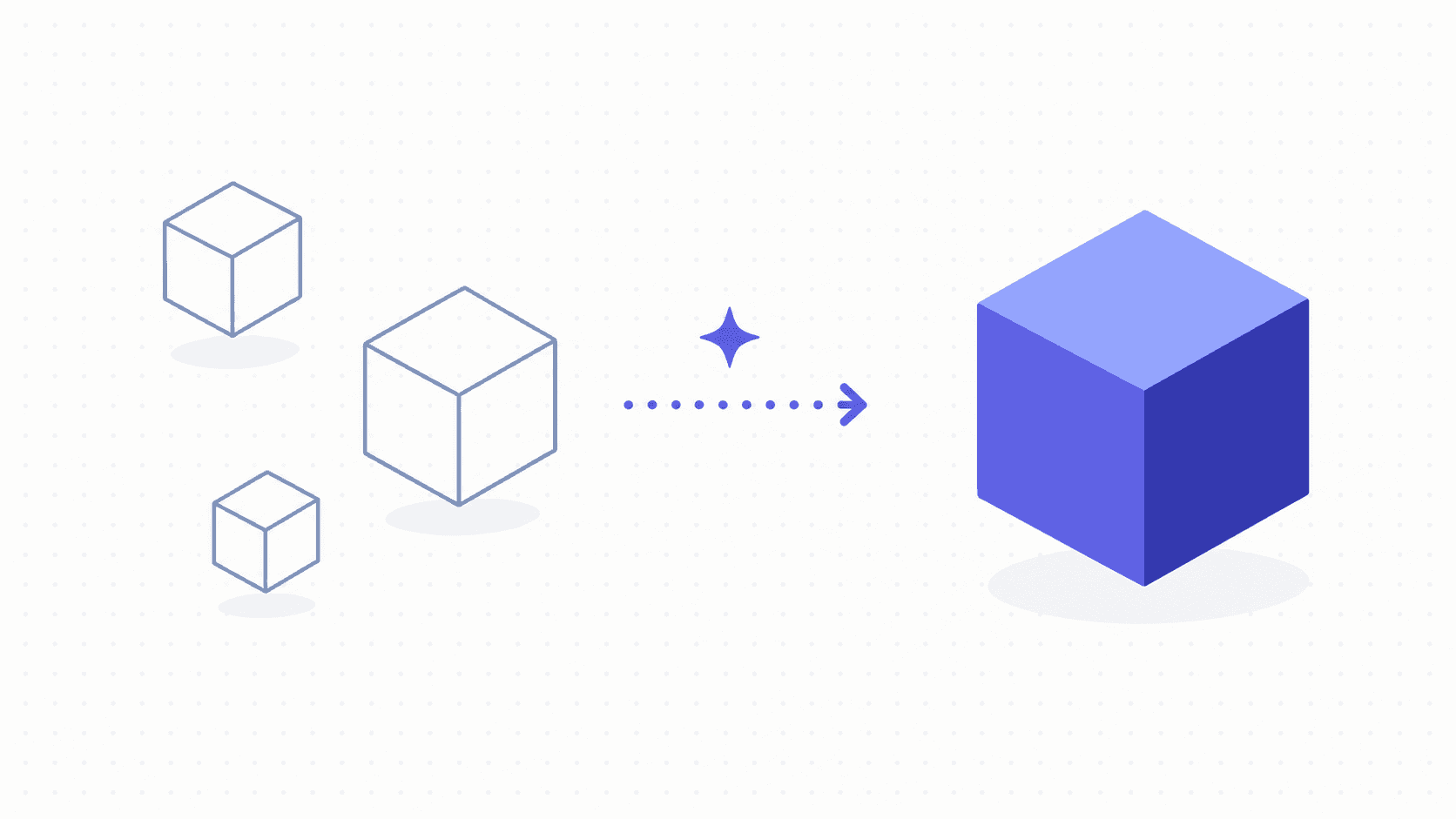
Strip away the marketing and the process is short. You give the tool an input — a text description ("a low-poly pine tree" or "a worn leather messenger bag") or a reference image — and the AI predicts a 3D shape that matches it. That prediction comes out as a mesh: a surface made of connected triangles or polygons that defines the object's form. You get a preview, maybe generate a few variations, pick the one that's closest to what you wanted, and export it as a file — usually OBJ, FBX, GLB, or STL, depending on where you're planning to use it next.
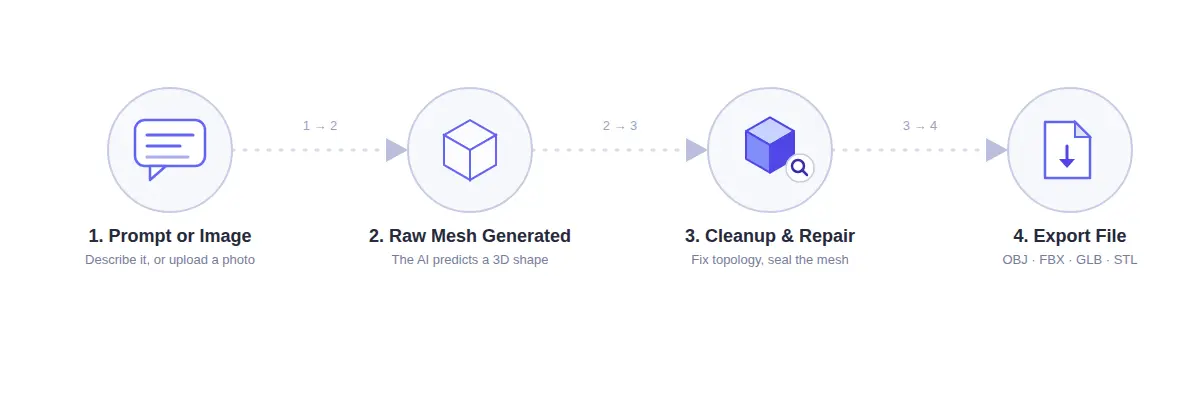
Tools like Meshy, Tripo AI, and Hyper3D Rodin all follow roughly this same shape, even though the underlying models differ. You're not sculpting or pushing vertices around by hand. You're describing, generating, and then judging whether what came out is close enough — or trying again with a clearer prompt.
Two terms are worth knowing before you go further, because they come up constantly once you start using these tools:
Topology refers to how the mesh's triangles or quads are arranged across the surface. Clean topology is even and predictable; messy topology has triangles bunched up in weird places, which causes problems later if you try to animate or edit the model.
Watertight means the mesh has no holes or gaps in its surface — every edge connects to something. This matters enormously for 3D printing, since a printer can't do much with a shape that technically has a hole in it somewhere you can't even see.
Text-to-3D vs. Image-to-3D
These are the two main flavors, and they're not interchangeable.
Text-to-3D starts from a written description and the AI fills in everything else — proportions, style, level of detail. It's fast and great for early-stage concepting, but you're at the mercy of how well the model interprets your wording. Vague prompts get you vague, generic-looking results.
Image-to-3D starts from a photo or a reference image and tries to reconstruct that specific object in three dimensions. This tends to produce results that look closer to what you actually had in mind, since you're not describing something from scratch — you're pointing at it. It's the better choice when you already have a real object, a piece of concept art, or a product photo you're trying to turn into a 3D asset.
Most of the major platforms support both, and switching between them depending on what reference material you have is normal practice, not a compromise.
What AI 3D Model Generators Are Good At Right Now
Where this technology earns its keep is speed, specifically at the draft stage. Need five different variations on a fantasy sword to see which silhouette reads best? Generating five text-to-3D drafts takes minutes — a single complex model typically renders in under two minutes. Doing the same thing by hand takes real time even for a simple object (a novice modeler can expect a few hours for something straightforward), and a properly detailed character can eat weeks or months of dedicated work.
That speed doesn't tell the whole story, though. It's not unusual to spend several hours cleaning up a "60-second" AI model before it's actually ready to rig or animate — the advantage is real, but it front-loads to the draft stage, not the whole pipeline.
That speed advantage shows up most clearly in a few specific situations. Rapid concept iteration is the obvious one — game studios and product designers using AI generation to throw a dozen visual directions at a wall before committing real modeling time to the one that works. Organic and character-adjacent shapes also tend to come out reasonably well, since the AI has presumably seen a lot of creatures, characters, and everyday objects during training and has a decent intuition for how they should look. And for indie developers or solo creators who need a placeholder asset — something that looks right in a scene even if it's not final — these tools can save real hours.
What ties all of this together: it's a drafting tool. A very fast one. It is not, at least not yet, a replacement for finishing work.
Where AI 3D Generation Still Falls Short
Here's the part most tool comparisons gloss over, because admitting a product's weaknesses doesn't sell subscriptions. It's worth saying plainly: the gap between "looks good in the preview window" and "actually usable in a real project" is still wide.
The biggest issue is what happens when you try to do anything to the model after it's generated. A hands-on comparison that tested nine different AI 3D generators against the same set of prompts found that most tools produced models that, in the tester's words, "fall apart when you rig or modify them." The mesh might look clean sitting still, but the moment you try to add a skeleton for animation or push a vertex to fix a proportion, the underlying topology reveals itself to be a mess — triangles bunched up unpredictably, no clean loops for a rigger to work with.
Watertightness is the second recurring problem, and it matters most if you're headed toward a 3D printer (more on that below). A model can look completely solid in a preview and still have microscopic gaps in the mesh that make it un-printable without a repair pass first.
Third, and this one's subtler: ask the same generator for the same thing twice and you won't necessarily get the same quality twice. Output consistency across similar prompts is still inconsistent — a limitation that doesn't show up in a polished marketing demo but shows up fast the first time you're trying to generate a matched set of assets.
None of this means the tools are bad. It means they're early-stage drafting tools, not finishing tools. Budget time for cleanup if you're doing anything beyond "looks fine in a render."
Using AI 3D Model Generators for 3D Printing
3D printing hobbyists make up a huge share of the people searching for this stuff, and they deserve a straight answer: can you print what these tools generate? Usually — but rarely on the first try.
What "Print-Ready" Actually Means
Looking right isn't enough. A model has to satisfy a handful of structural requirements that a printer's slicer software checks for before it will print cleanly:
Watertight/manifold geometry — no gaps, no overlapping faces that confuse the slicer about which side is "inside."
Correct scale — a model generated with no sense of real-world units might come out sized for a dollhouse or a building, and you'll need to rescale it to actual millimeters before slicing.
Reasonable wall thickness — thin, delicate details that look fine on screen can be physically impossible to print without support material or without snapping the moment you touch them.
A sensible base — something needs to touch the print bed in a way that won't tip over mid-print.
Very few AI-generated models satisfy all of this immediately. Expect a pass through a mesh-repair tool — checking for manifold geometry, hollowing out solid interiors to save material, rescaling — before you send anything to a slicer.
Why AI-Generated Prints Fail
The honest answer is usually boring: a mesh issue invisible to the naked eye, or a scale problem nobody caught before hitting print. But there's a more interesting wrinkle here, one that reframes the problem entirely. One widely discussed take on this argues that the real issue with AI-generated 3D printing files isn't the AI itself — it's that file-sharing platforms reward publishing volume over publishing quality, so untested files get uploaded and downloaded by people with no way to know whether they'll print cleanly. The AI made the file fast; nobody checked whether it was any good before it went live.
The practical takeaway is the same either way: treat an AI-generated STL the way you'd treat a file from a stranger on the internet, because that's functionally what it is. Check it, don't just trust it.
Is an AI 3D Model Generator Free? What It Actually Costs
Most platforms offer some kind of free tier — a handful of generations per month, usually with limits on resolution, commercial use rights, or export formats. That's enough to try the technology and see if it fits your workflow, but not enough for regular production use.
Beyond the free tier, pricing generally splits into two models: a flat monthly subscription with a generation cap, or pay-as-you-go credits priced per generation. Per-generation costs across mainstream platforms currently run roughly $0.10 to $2 per model, with a handful of higher-touch, higher-fidelity tools charging noticeably more. There's also a free-if-you-have-the-hardware option worth knowing about: several open-source models (TripoSR, TRELLIS, and others) can run locally on your own GPU with no per-generation cost at all, if you're comfortable with the setup. Treat any specific number you see quoted as a snapshot, not a fixed price — this is a fast-moving market, and pricing tiers shift as new models come out.
Who Owns What You Generate: Copyright and Commercial Use
This question gets asked constantly, and the answer is: it depends on the platform's terms of service — and those terms differ more than you'd expect.
Most AI 3D generation platforms grant you usage rights to what you create, including commercial use, under their specific terms — but "specific terms" is doing a lot of work in that sentence. Some tools restrict commercial use to paid tiers only. Some have different rules depending on whether you generated from text versus an uploaded image you don't own the rights to. And underneath all of it sits a genuinely unsettled legal question in the broader AI industry: whether training an AI model on existing 3D assets, images, or artwork without explicit permission raises its own copyright issues — a debate that's playing out in courts and hasn't been definitively resolved.
None of this is legal advice, and it shouldn't be treated as such. If you're planning to sell or commercially distribute something you generated, the one non-negotiable step is reading that specific platform's current terms of service before you do, not assuming the rules from one tool apply to another.
AI vs. Traditional 3D Modeling: What's Really Changing
The question that comes up in every comment section under an article like this: is AI coming for 3D modeling jobs? Based on everything covered above, the more accurate framing is narrower than "replacing" — it's shifting where a modeler's time goes.
The drafting and blocking-out stage — the part where you're figuring out rough shape and proportion before committing to details — is the part AI genuinely absorbs well. That used to eat real hours. Now it can eat minutes, with a human picking the best of several fast drafts instead of building the first pass from a blank scene.
What it doesn't absorb, at least not yet, is exactly what the limitations section above describes: clean topology for rigging and animation, watertight geometry for functional and printable objects, and the judgment to know when a generated result is actually wrong in a way that matters. That's still squarely human work, and if anything it becomes more valuable, not less — the person who can take a rough AI draft and make it truly production-ready is doing work the AI can't do for itself.